New version: Neotravv 4.0
Update 4.0
The update includes improvements, bug fixes, and new features to further optimize the user experience.
The timetable development has been improved. Bugs in the development environment have been fixed, and the user experience has been enhanced. The file manager has been redesigned to allow complex folder structures to be created and uploaded directly within the environment.
In addition, the programming language "Nodus" has been extended (syntax). Programming is made easier by inline suggestions and improved syntax highlighting.
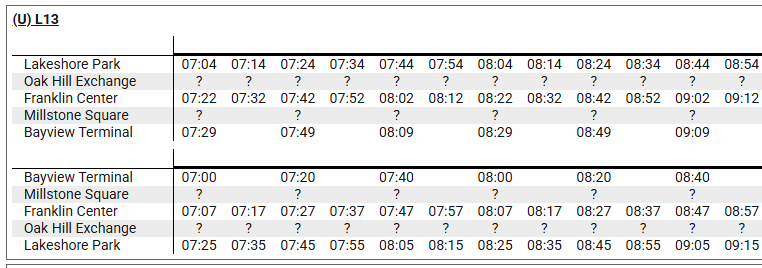
Timetables can now be generated automatically. This feature is experimental and may cause issues. Create a backup file before using the feature! The feature must be enabled in the settings!
How to generate timetables?
To generate timetables, proximity timetables must first be created. For at least one line, all required data (travel times, actual departure times, service interval definitions) must be fully specified.
Once this information has been provided, a cal variable must be created in the .ldef file for each fully defined line. This variable describes the travel times between all stops on the respective line (see syntax for more information). cal variables must be programmed manually.
Afterwards, the project files can be uploaded. If all required data is available, a button will automatically appear, allowing timetables with calculated departure times for all stations to be generated for every fully defined line.
If you encounter any problems or discover any errors during this process, you can report them at any time using the contact form.