Manage Lines with Neotravv
Defining lines
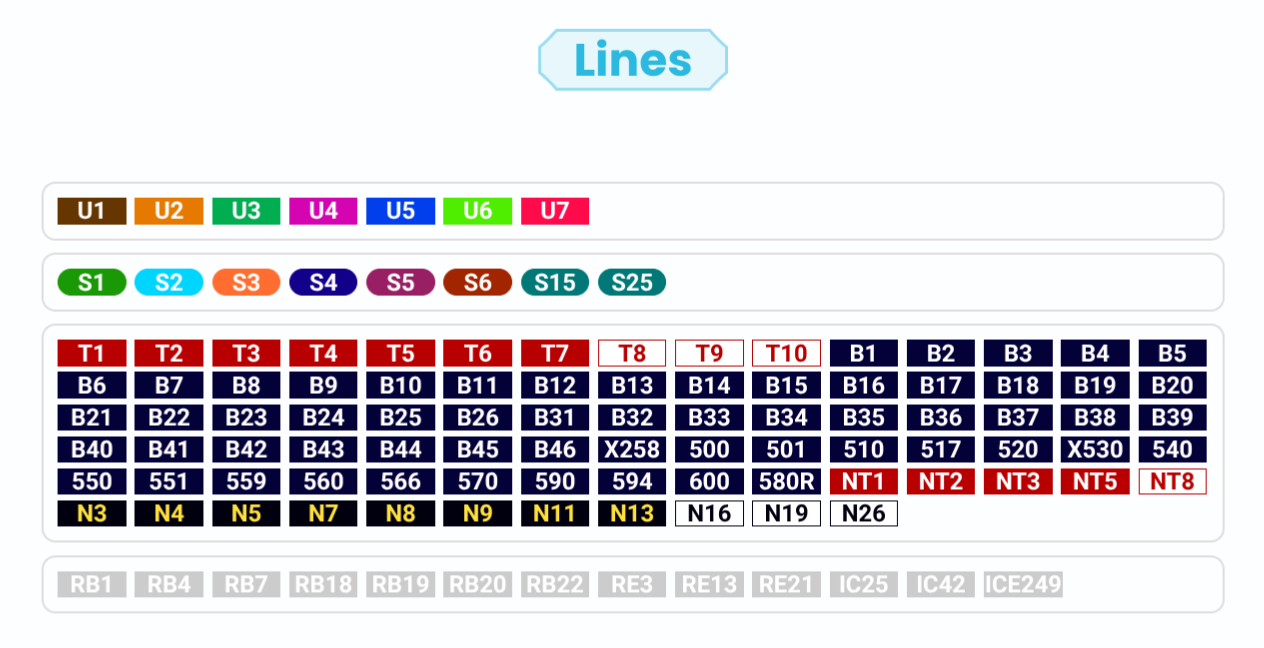
When stations are set up, it can be determined which lines serve this stop. Different modes of transportation are distinguished, such as rapit-transit railway, subway, road traffic (e.g. bus or tram) as well as regional and long-distance traffic. Neotravv captures all defined lines and creates an overview of the stations where these lines stop. In this way, all stops are collected and displayed centrally, but not yet sorted. Here and in the handbook you can find out more about adding and managing stations with Neotravv.
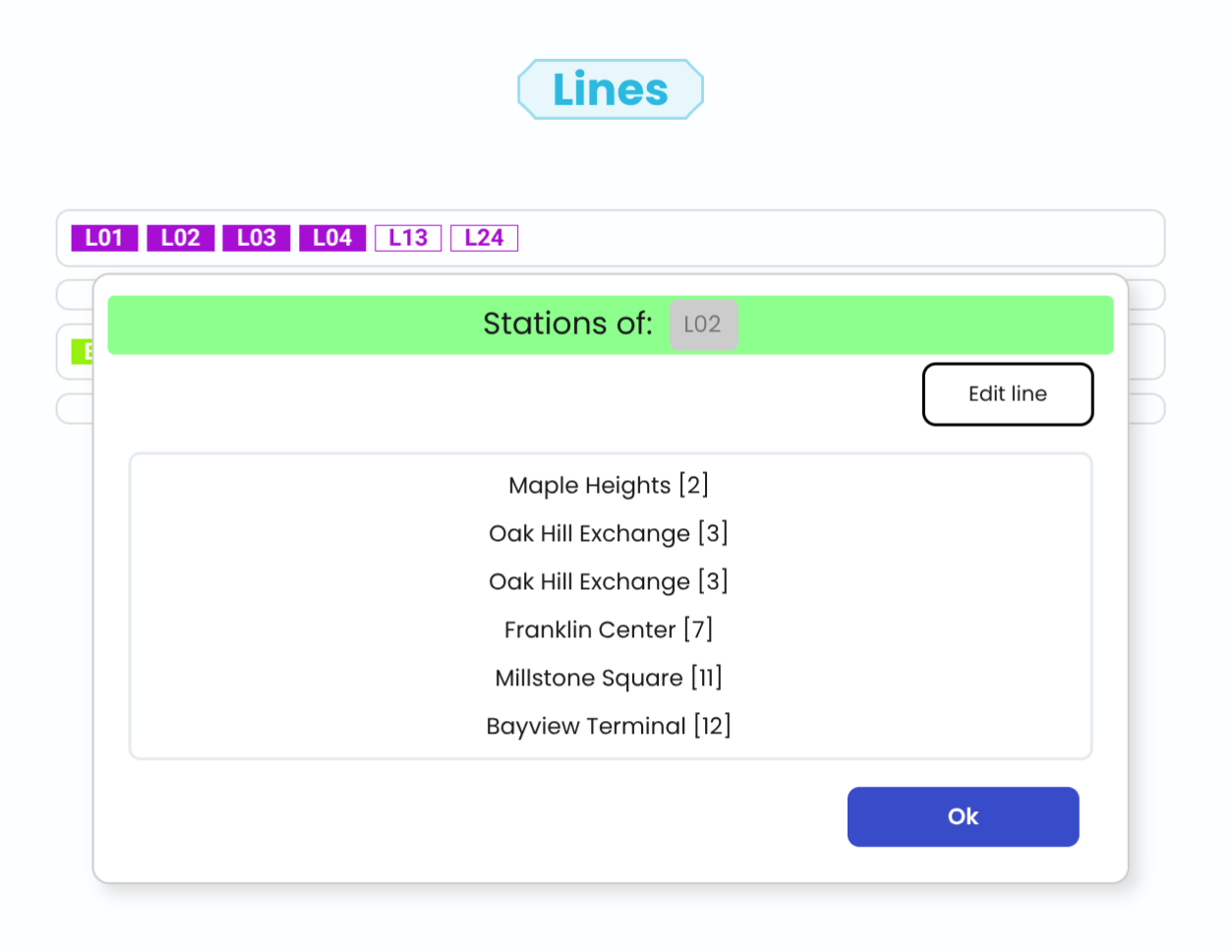
How to edit the route?
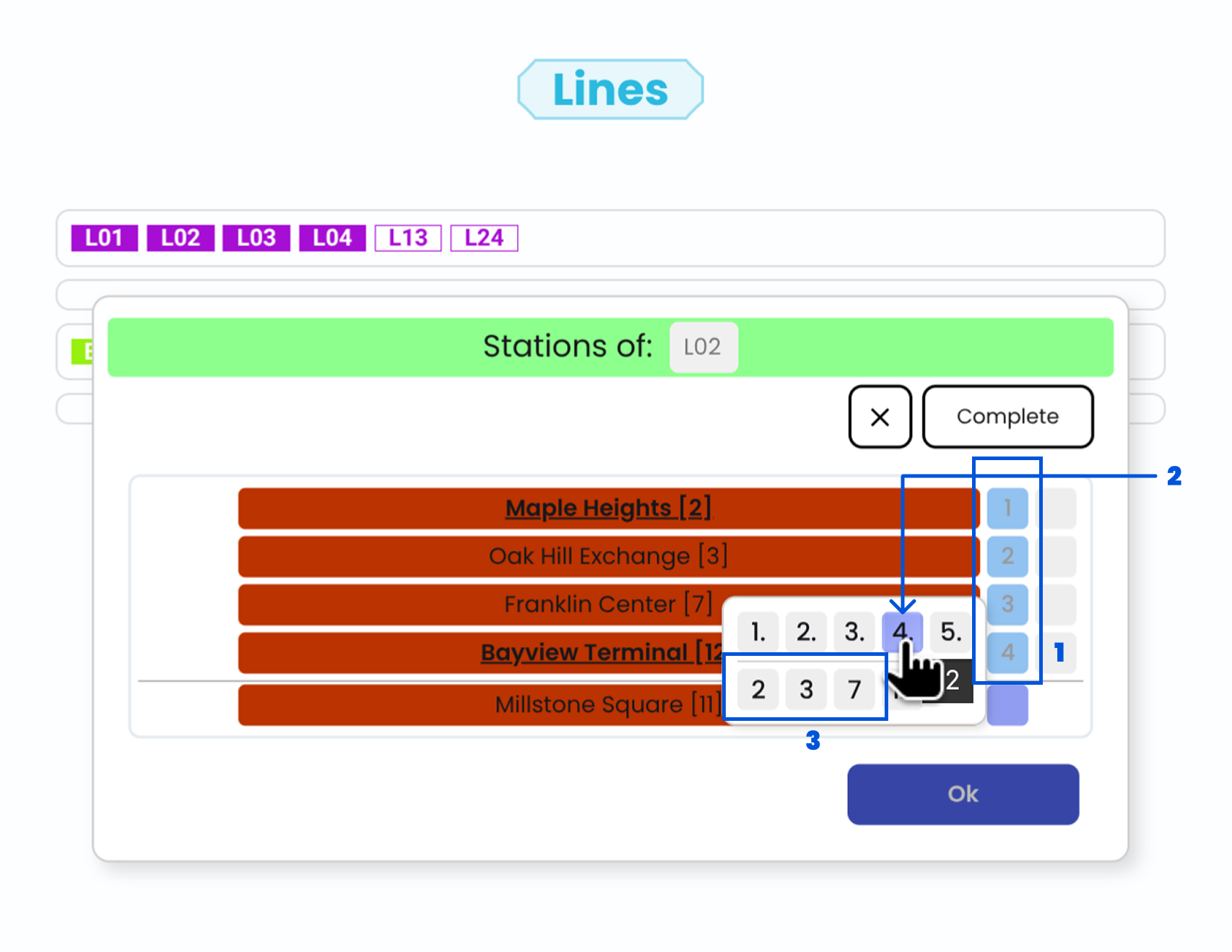
To edit the line path in detail, switch to the line editing mode. In this mode, the previously unsorted stops of a line can be brought into the desired order, so that a traceable route is created. For better overview, the stations can also be marked with position numbers (1, 2) that clarify their order within the line.
In 3 is also shown the current position of a bus stop. This representation makes it easier to insert and sort stations that are not yet correctly assigned, and helps to structure the route step by step.
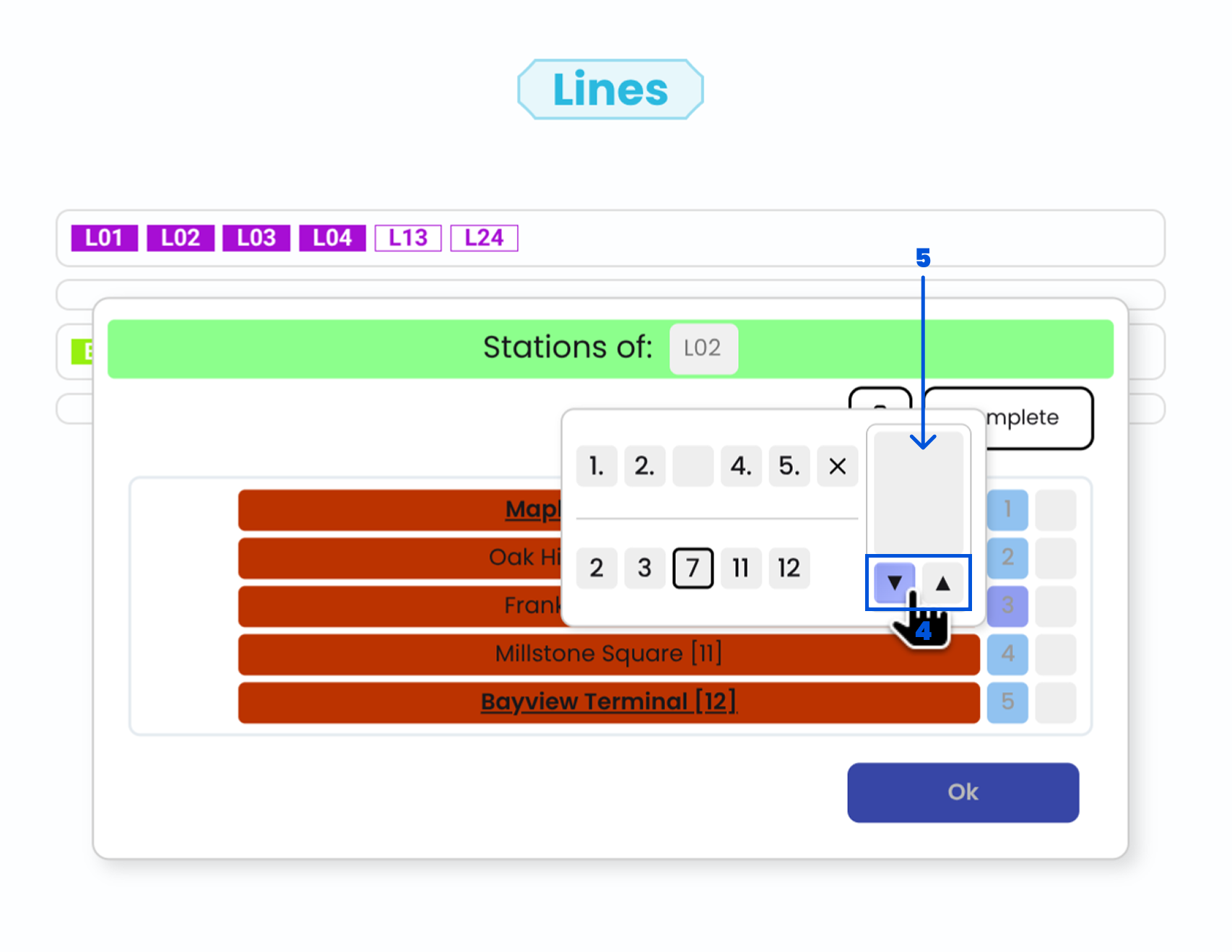
In addition to the simple order of the stops, further important properties of the route can be defined. In 4, it can be determined whether a station is only served in one direction, which is relevant for one-way roads or different return and outbound routes. Furthermore, in 5, branches can be configured, with which alternative line routes within a line can be displayed. It is possible to display several variants of a route, for example, when certain journeys only serve part of the route or have different end points. This enables flexible and realistic modeling of complex line structures.
Optically adjust lines
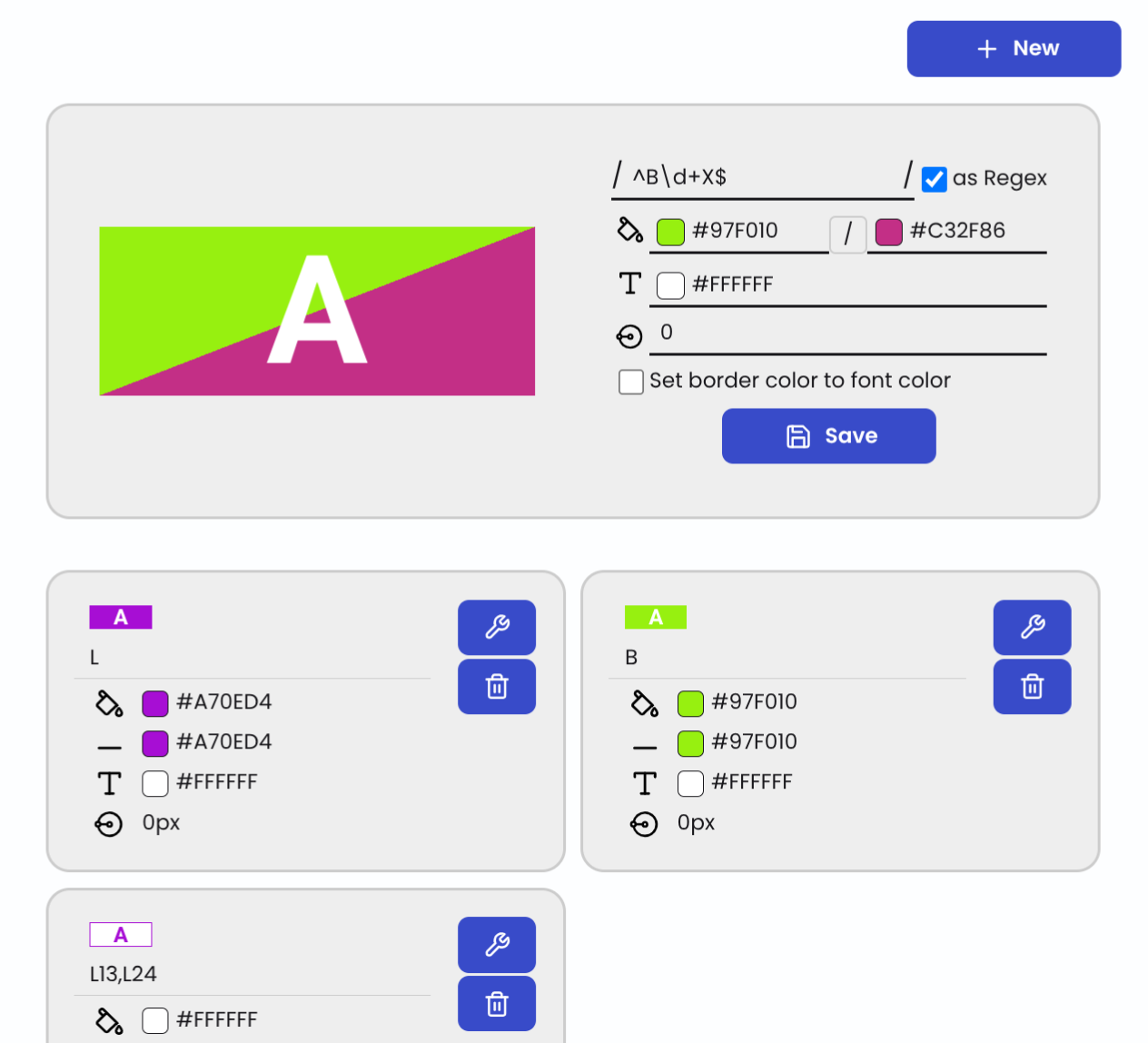
Additionally, individual colors and symbols can be defined for lines to make the visual representation clearer and more uniform. For each line, a specific icon can be set, which is displayed in plans or overviews, for example. It is also possible to work with regular expressions (Regex) to automatically assign multiple lines to certain colors or symbols. This is particularly helpful for larger networks with many lines, as recurring patterns can be efficiently recognized and uniformly displayed. Furthermore, the appearance of the icons can be further customized, for example by configuring the radius, which allows the size and display to be optimally adapted to the respective purpose.
Easy management of lines
With the Line Manager, there is a comprehensive possibility to create and manage transport networks and their lines in a structured way. From the definition of the stations to the design of the line routes and the diverse visual adaptation of the lines, all elements can be flexibly adapted and clearly presented.
Additional functions such as line colors, icons, and automated assignments using regular expressions allow the display to be customized. Neotravv is suitable for planning traffic networks.
Check out our YouTube tutorial and our handbook to better understand how to configure and adjust lines with Neotravv.