Generate route plans with Neotravv
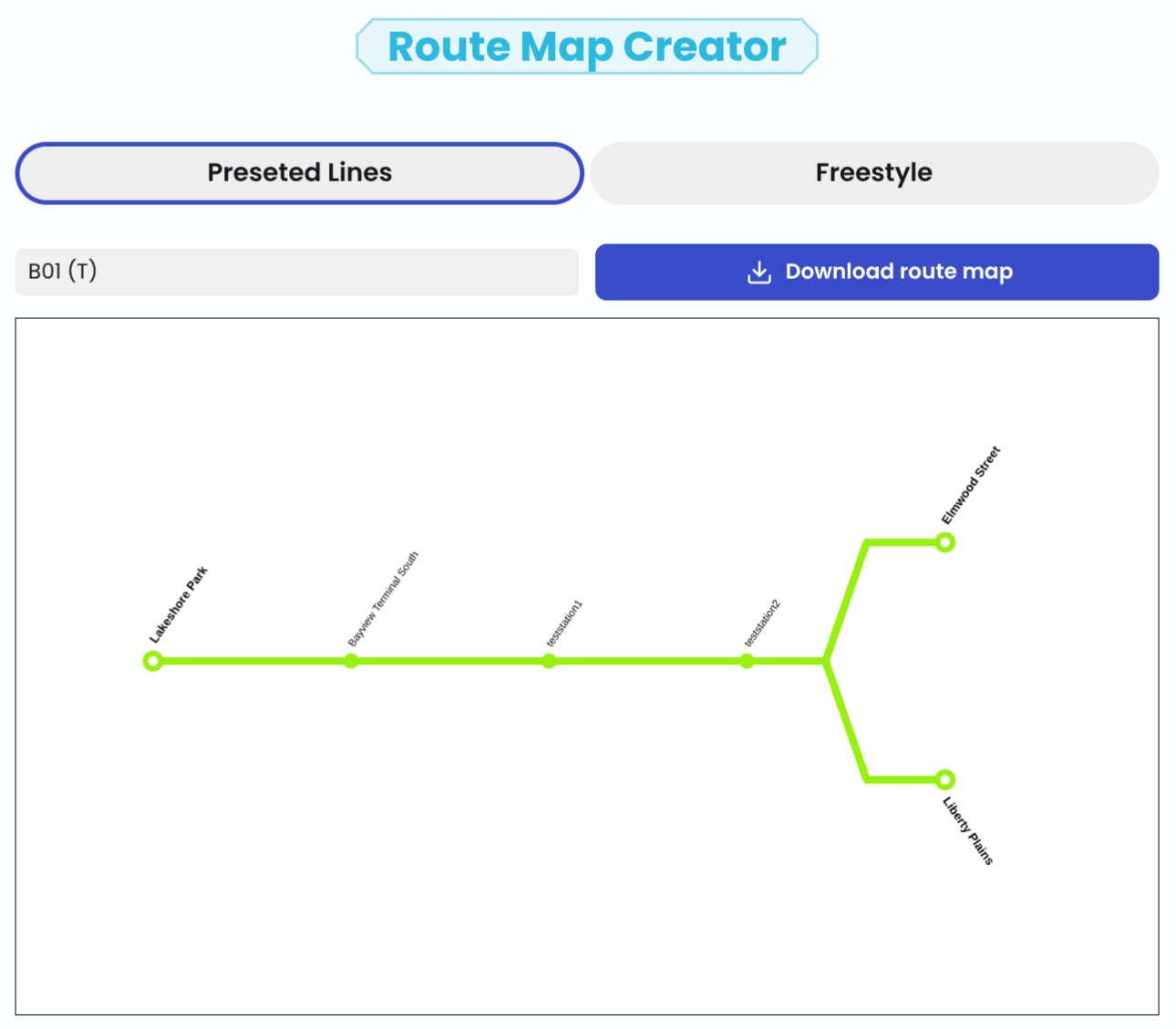
Generating preset lines
When stations are set up, lines of different categories can be assigned to them. These are recorded and unsorted in a line overview. The stops served by the line can then be sorted. Additionally, it can be specified in which direction a station is served and branches can be added. Here and in the handbook you can learn more about how to manage lines.
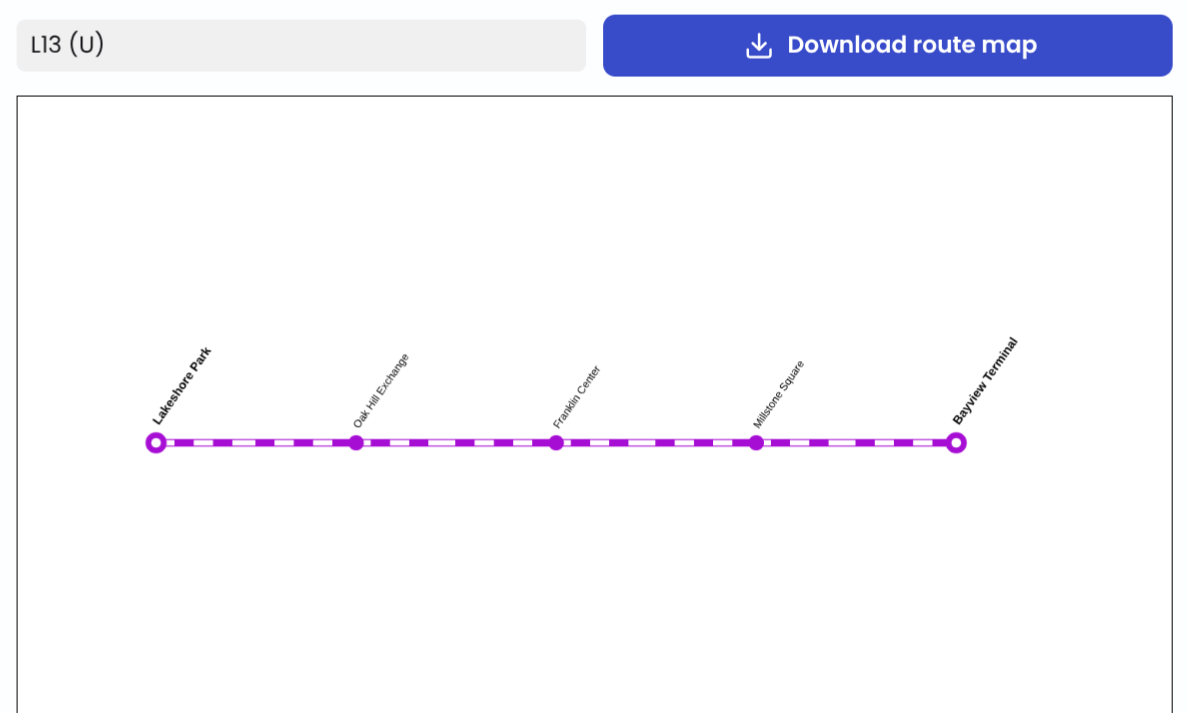
Route plans can be generated for lines that have at least 2 sorted stops. The plan can then be downloaded.
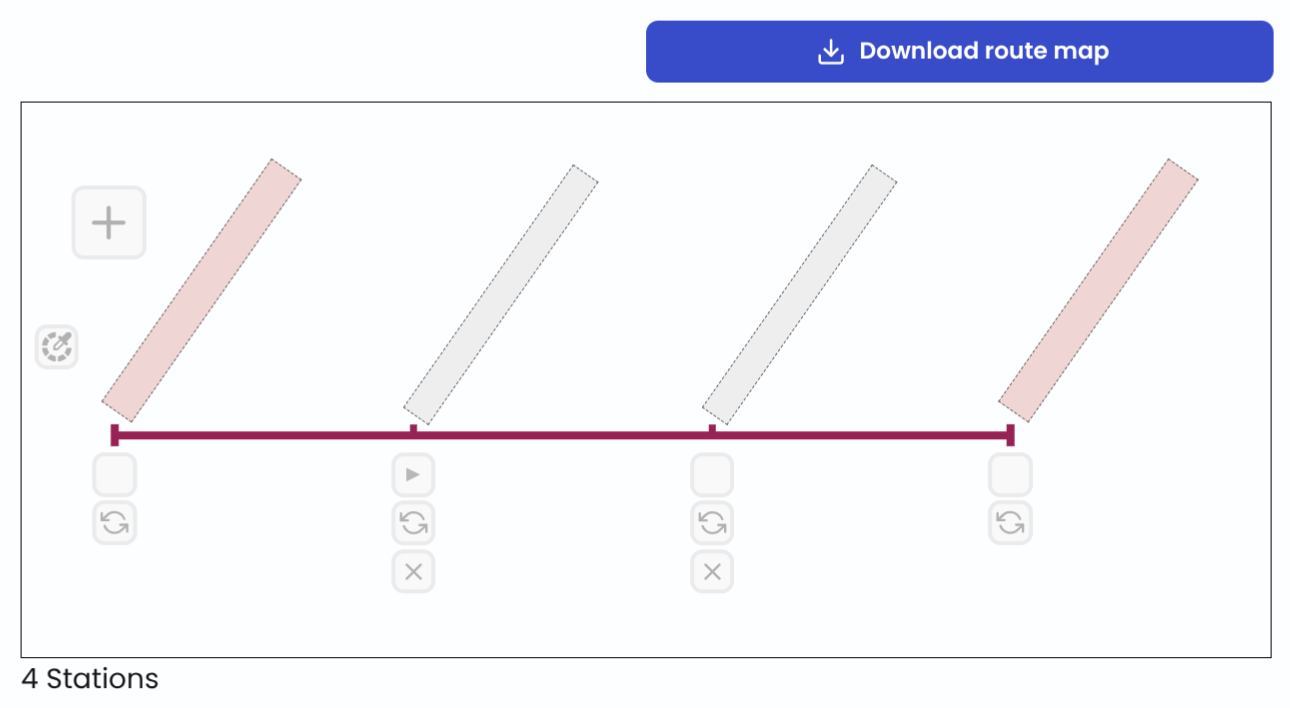
Free creation of route plans
To create more flexible and free route plans, the Freestyle mode can be used. The color of the line can be set and stations can be added and removed as desired. Furthermore, it can be specified whether stops should be served in only one direction.
Check out our handbook to better understand how to create route maps with Neotravv.